10 AI Agents I'm Researching to Boost My Productivity (A Beginner's Journey)
As a new blogger juggling content creation, research, and my own study schedule, I’ve realized that my biggest challenge is managing my time effectively. I’ve been researching how modern AI agents can help automate daily tasks so I can focus on what truly matters: creating valuable content.
This post is not a guide from a proven expert. It is a summary of my personal research and my real experience with a few of these tools. I’m sharing my findings so other new bloggers and students can also find ways to work smarter, not just harder.
My Experience with 3 Key AI Agents
Out of all the tools I researched, there are three I have personally used in my daily life.
1. ChatGPT – My Research and Writing Partner
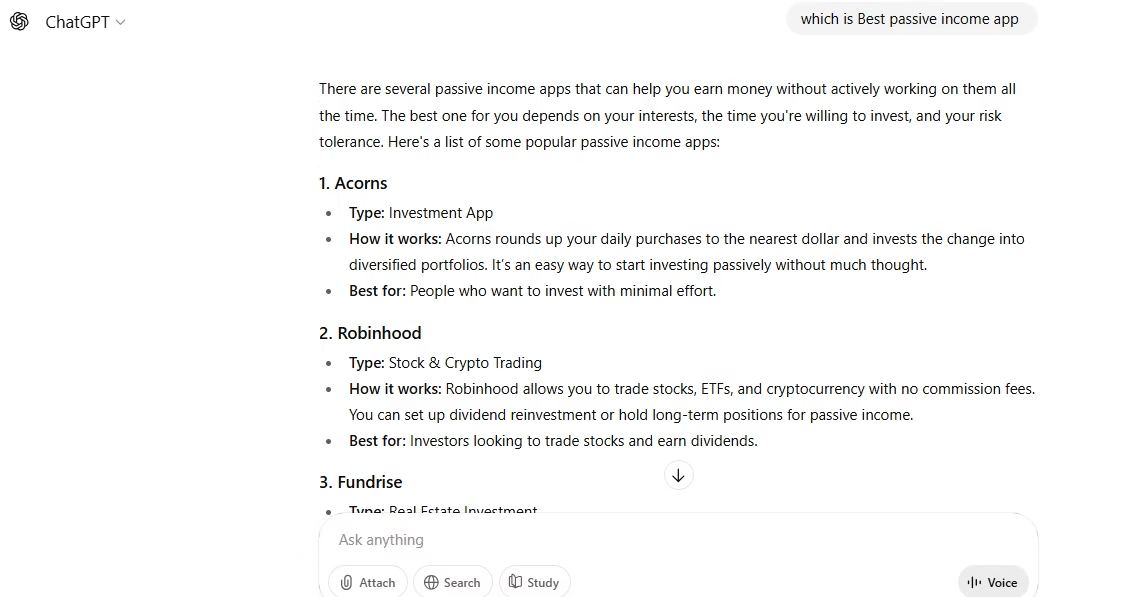
This is the tool I use the most. For me, ChatGPTis my research assistant. Whenever I have to write an article on a new topic, I use it to gather information and understand the key points. Then, instead of copying its output, I use that research to write everything in my own language and style. It helps me get started, organize my thoughts, and overcome writer’s block.

An example of how I use ChatGPT to research my next article.
2. Notion AI – How I Organize My Personal Life
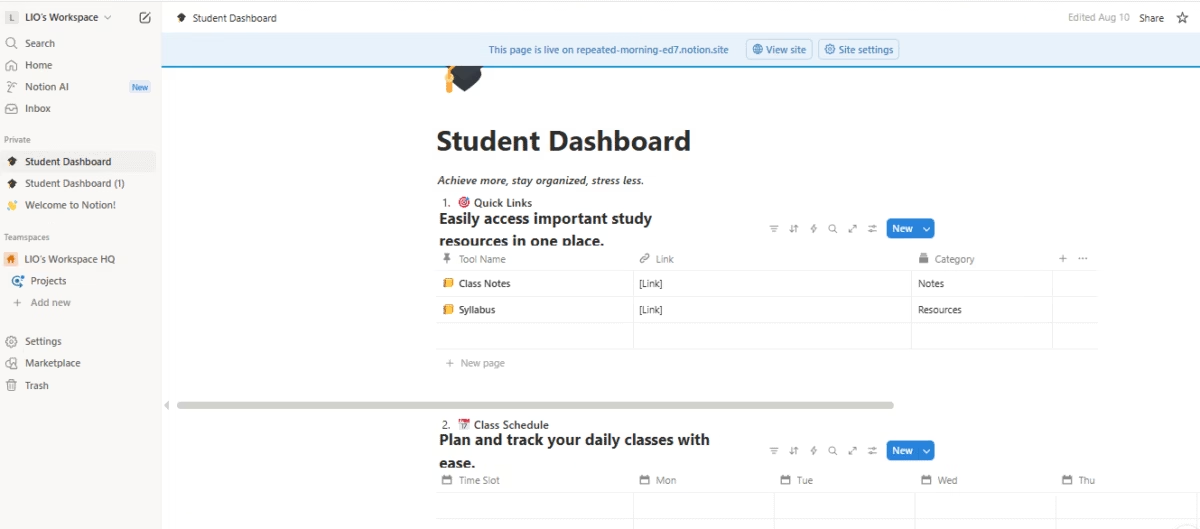
While many bloggers use Notion for their content calendar, I personally use it to organize my daily life. It’s my digital notebook where I create my personal timetable and manage my class schedules. When they added Notion AI, it became even more helpful for quickly creating checklists and summarizing my study notes. It’s a great example of how these tools can be used for more than just business.

My personal notepad ‘Student Dashboard’ where I organize my class schedule and notes.
3. Grammarly – My Final Check Before Publishing
To be honest, I use Grammarly “sometimes,” not always. After I’ve written my article in my own words, I use its free version to do a final check for any silly spelling or grammar mistakes. It’s like a final proofreader that helps make my content look more professional before I hit ‘publish’.
My Research on 7 Other Interesting AI Agents
Here are 7 other tools that I have researched but not used extensively yet. My findings are based on reviews and their official websites.
4. Google Bard – My Research on a Real-Time AI
My Research Findings: During my research, I learned that Bard’s main advantage is its direct connection to the web for real-time information. While I personally use ChatGPT more for creative writing, my research shows that Bard is excellent for fact-checking, finding recent statistics, or getting up-to-date information for a research-heavy article.
5. Microsoft 365 Copilot – My Research for Office Users
My Research Findings: I researched this for people who work heavily in the Microsoft ecosystem (Word, Excel, Outlook). Copilot seems incredibly powerful because it’s built directly into these apps. I read case studies where it was used to summarize long email threads in Outlook or create entire PowerPoint presentations from a Word document.
6. SaneBox – My Research on an AI Email Filter
My Research Findings: My inbox can get very overwhelming. A tool like SaneBox seems to solve this by using AI to automatically sort important emails from distractions. My research shows it works in the background with your existing email (like Gmail). This is definitely on my list of tools to test in the future.
7. Reclaim.ai – My Research on an AI Calendar
My Research Findings: I often struggle to find time for “deep work.” A tool like Reclaim.ai seems designed to solve this. I learned that it automatically finds and blocks time in your calendar for your habits and priorities.
8. x.ai – My Research on AI Meeting Schedulers
My Research Findings: My research showed that a tool like x.ai automates meeting scheduling completely. You just CC the AI in an email, and it handles the rest. While I don’t have many client meetings yet, this is another tool I have bookmarked for when my business grows.
9. Trello AI – My Research on Smarter Project Boards
My Research Findings: I researched AI for project management and found that Trello now has AI features. It can help auto-prioritize tasks and suggest checklists based on the project type.
10. Clara – My Research on a "Human-Like" AI Assistant
My Research Findings: Similar to x.ai, Clara is another scheduling assistant, but my research suggests it’s known for its more human-like communication style. It’s a premium tool for busy professionals.
FAQs
About The Author